 Twitter
Your software used to work well. Now it feels slow. Updates take forever. New features break old ones. Your team spends more time fixing bugs than building value.
These are clear signs you need legacy system modernization. This guide explains what that means in plain English. You will learn when to act, what options you have, and how to plan an upgrade that does not disrupt your daily operations. Let us look at the real costs of holding onto old software and the practical steps to move forward.
What Is Legacy System Modernization?
Legacy system modernization means updating or replacing old software with modern technology. It is not just about making things look newer. It is about fixing the foundation so your business can grow.
Old systems often run on outdated programming languages. They might not connect well with new tools like cloud services or mobile apps. Security patches become harder to apply. Finding developers who understand the old code gets expensive and difficult. You can read more about the technical details of this process on the IBM guide to legacy modernization.
Modernization solves these problems. You can rebuild from scratch, refactor pieces over time, or migrate to cloud platforms. The right path depends on your budget, timeline, and business needs.
4 Clear Signs You Need Legacy System Modernization
Most businesses do not realize their system is outdated until it causes a major problem. Watch for these four warning signs.
Sign 1: High Maintenance Costs
You spend most of your IT budget just keeping the lights on. Every small change requires weeks of work. Bug fixes create new bugs. Your team complains about working with ancient code. This is a sign your system is costing you more than it is worth.
Sign 2: Cannot Integrate with Modern Tools
Your customers want PayNow integration. Your sales team needs a CRM that talks to your main system. Your partners require API access. But your old software cannot connect to these modern tools without expensive custom workarounds. If this sounds familiar, you might need web app modernization services to update your outdated systems with modern frameworks.
Sign 3: Security and Compliance Risks
Your software does not receive regular security updates. The programming language it is built on is no longer supported. You cannot meet new regulations like PDPA or MAS TRM requirements. One data breach or compliance failure could cost you far more than an upgrade. Ongoing care and regular security patches are critical, which is why many companies turn to dedicated software support and maintenance to keep their products safe.
Sign 4: Slow Performance and Downtime
Your system crashes during peak hours. Reports take hours to generate. Users complain about slow load times. You cannot scale to handle more customers without major performance issues. These problems hurt your reputation and drive customers to competitors.
The Real Cost of Doing Nothing
Many leaders delay legacy system modernization because it feels expensive. But the cost of inaction is often higher.
An outdated system slows your team down every single day. It blocks new revenue opportunities. It increases security risks. It makes hiring difficult because good developers do not want to work with ancient technology. When a business waits too long to modernize their inventory system, they often lose market share to competitors with faster, mobile-friendly platforms. The cost of the modernization project is usually much lower than the lost revenue over those years.
Your Modernization Options Explained
You have three main paths forward. Each has different costs, timelines, and risks.
Option 1: Rebuild from Scratch
You build a completely new system using modern technology. This gives you the cleanest result and the most flexibility for the future. However, it takes the longest time and costs the most upfront. You also face the risk of scope creep and project delays.
Best for systems that are so outdated they cannot be salvaged, or when your business needs have changed dramatically.
Option 2: Refactor Gradually
You update pieces of your system over time. You might move one module to the cloud this quarter, then rewrite another module next quarter. This spreads the cost and risk over time. Your business keeps running with minimal disruption. However, it takes longer to see the full benefits.
Best for large, complex systems where you cannot afford downtime, or when budget is limited.
Option 3: Lift and Shift to Cloud
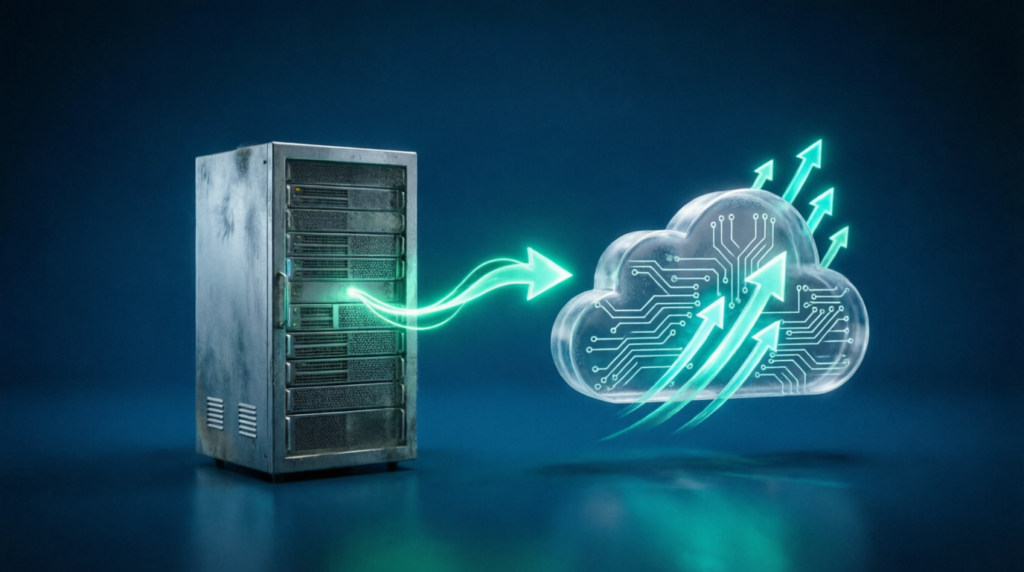
You move your existing system to a cloud platform like AWS or Google Cloud with minimal code changes. This is faster and cheaper than a full rebuild. You get some benefits like better scalability and reduced infrastructure costs. But you do not fix the underlying code problems.
Best for systems that work well but need better infrastructure, or as a first step before deeper modernization.
How to Plan Your Legacy System Modernization
A successful modernization project starts with clear planning. Follow these steps.
Step 1: Audit Your Current System
Document what your system does. List all integrations, dependencies, and custom features. Identify which parts are critical and which can be retired. This gives you a realistic picture of the scope.
Step 2: Define Your Business Goals
Are you modernizing to reduce costs? To launch new features faster? To improve security? To scale for growth? Your goals determine which approach makes sense. Do not modernize just for the sake of new technology.
Step 3: Choose Your Approach
Based on your audit and goals, decide whether to rebuild, refactor, or lift and shift. Be honest about your budget and timeline. It is better to start small and expand than to overpromise and underdeliver.
Step 4: Pick the Right Partner
Legacy system modernization requires specific expertise. You need a team that understands both old and new technologies. They should have experience in your industry and with compliance requirements. For example, Zimozi recently helped a financial institution transition from a legacy core to cloud-native microservices in our Core Banking Modernization Case Study. We specialize in helping Singapore businesses modernize their systems while maintaining security and uptime.
Step 5: Start with a Pilot Project
Do not modernize everything at once. Pick one module or feature to update first. This proves the approach works. It builds confidence with your team and stakeholders. You can learn from mistakes on a small scale before rolling out to the whole system.
What to Expect During the Process
Legacy system modernization is not a quick fix. It takes time and effort from both your team and your technology partner.
A typical project takes several months depending on complexity. You will have regular check-ins and progress reviews. There will be testing phases to ensure nothing breaks. You may run the old and new systems in parallel for a while.
The key is communication. Your partner should explain technical decisions in plain language. They should document everything they build. You should always know the status and any risks.
Real Results from Modernization
Businesses that complete legacy system modernization see real benefits.
They get faster time to market for new features. They pay lower maintenance costs. They achieve better security and compliance. They improve the customer experience. It also becomes easier to hire because developers want to work with modern tools. When a financial services company modernizes their loan processing system, they can reduce approval times from days to hours. Their team can then launch new products in weeks instead of months.
Frequently Asked Questions
How long does legacy system modernization take?
Most projects take between 3 to 12 months. Simple systems can be done faster. Complex enterprise systems with many integrations take longer. The timeline depends on your approach and scope.
How much does it cost to modernize a legacy system?
Costs vary widely based on system complexity. Small projects cost less, while large enterprise systems cost more. However, the return on investment usually pays back over time through reduced maintenance and new revenue.
Will we experience downtime during modernization?
Not if it is planned correctly. Most modernization projects use a phased approach where the old system stays running while the new one is built. You can switch over during low-traffic periods with minimal disruption.
What happens to our old data?
Your data is migrated to the new system. A good partner will ensure data integrity throughout the process. They will test thoroughly and keep backups. You will not lose any critical information.
Can we modernize just part of our system?
Yes. Many businesses choose to modernize one module at a time. This reduces risk and spreads costs. You can start with the most critical or problematic part of your system.
Do you support systems built on old technologies?
Yes. We have experience with legacy systems built on older programming languages and frameworks. We understand how to extract data, document processes, and migrate functionality to modern platforms.
Your Next Steps
If you recognize the warning signs in this article, it is time to take action. Start by talking to your technical team to understand the current risks and limitations of your system.
If you are considering a similar upgrade, Zimozi can help define a small first version and assess the technical requirements for your legacy system modernization. We have helped businesses across Singapore and APAC modernize their software while maintaining security and uptime.
Would you like to discuss your project?